Hearth and Hamlet Systems Hub
Resources, buildings, policies, and controls for the cozy incremental citybuilder.
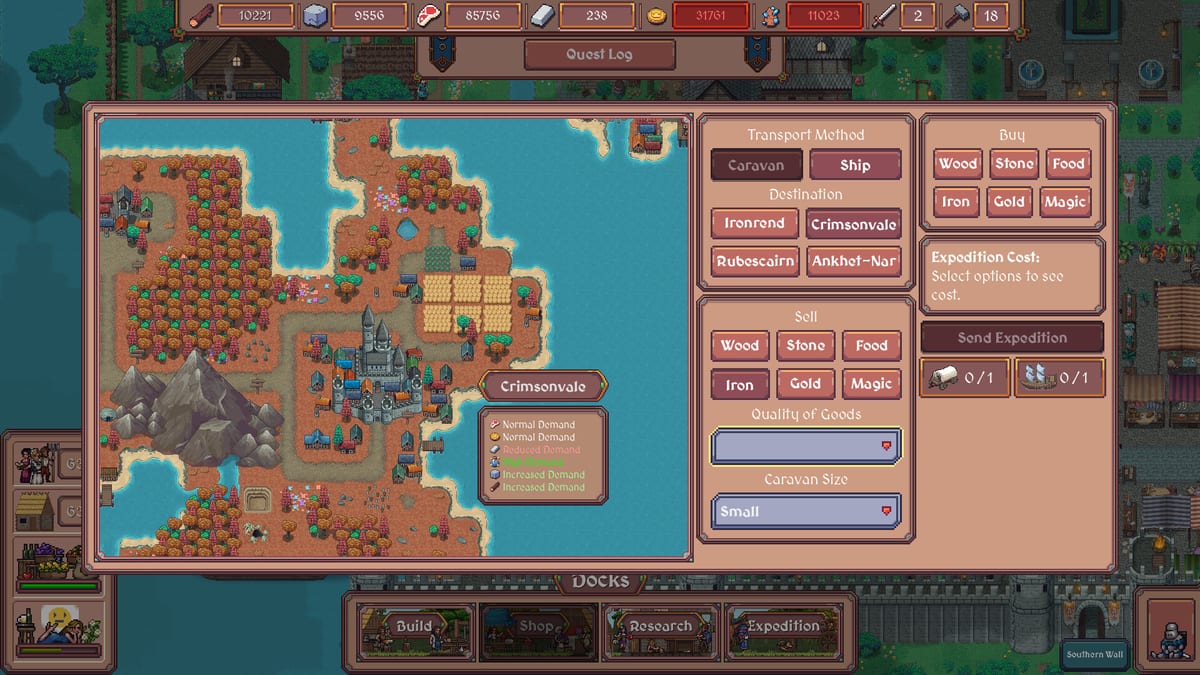
The Systems hub explains how Hearth and Hamlet actually runs beneath the cozy pixel art. This is a single-player incremental citybuilder heading toward a planned Steam release on August 19, 2026, with a demo available now on Windows and Linux. Nothing here claims the full game is fully live—only that the core loops are already worth learning.
From the storefront promise to demo practice, the same pillars repeat: gather resources, assign workers, construct buildings, research technologies, pass laws, manage happiness, survive raids, trade with faraway lands, and unlock magic. Systems pages translate those pillars into practical reading you can keep open beside the demo.
What this hub covers
Resources
Food, wood, stone, gold, magic, and storage—how stockpiles interact, what bottlenecks look like, and why hitting a cap feels like production suddenly stopped.
Buildings
Roles for tents, public house, chief house, fishing, woodcutter, quarry, guard house, tavern, fortifications, academies, and the wider construction fantasy from camp to kingdom.
Policies
Taxation, worker rules, guard drafts, and happiness decisions that change how your settlement behaves after the buildings exist.
Controls
Mouse and hold-to-gather patterns, Shift+F11 to hide the UI, UI scaling for 4K and Steam Deck, and comfort tips for longer cozy sessions.
How systems connect
Think in loops, not isolated menus:
- Resources fund buildings.
- Buildings create workplaces for workers.
- Research unlocks more buildings, policies, and magic—see the research tier list.
- Policies modify income, labor, and defense readiness.
- Happiness multiplies (or punishes) the whole machine.
- Raids test whether defense staffing kept up with ambition.
- Trade and magic extend the mid-to-late fantasy once the camp is stable.
If a loop breaks, diagnose with the matching page instead of rebuilding the entire town. Food collapsing? Start with resources and workers tiers. Unlock confusion? Compare buildings with buildings tiers. Morale crash after a tax toggle? Open policies.
Demo practice mindset
The demo is the right place to learn UI scaling, audio comfort, and allocation habits before launch day. Public polish work has already highlighted full UI scaling (automatic or manual), independent audio controls, Shift+F11 UI hiding, zoom/readability work for large resolutions, and stability-minded launch options. Those topics live on controls and demo patch notes.
Because older saves have been wiped in at least one compatibility-focused demo update, treat demo kingdoms as practice labs. Experiment with harsh taxes, soft worker rules, and guard drafts knowing the full release may deepen every system on August 19, 2026.
Priority reading order for new players
- Controls — so the interface is readable on your screen or Deck.
- Resources — so stockpile warnings make sense.
- Buildings — so you know what you are saving toward.
- Policies — so laws do not surprise your happiness bar.
- Then jump to tier lists and the worker planner for decisions under pressure.
Related hubs outside Systems
- Tier List Hub for unlock and staffing priorities.
- Tools Hub for specs and planners.
- Updates Hub for release timing and checklists.
- Guides for walkthrough-style pages as they are published.
- Links Hub for official Steam destinations.
Design fantasy versus practical checklist
Steam copy paints lakes, magical swamps, faraway lands, castles, and academies. Systems pages keep you honest about the order you can earn that fantasy: campfire first, kingdom later. Single-player pacing means you can pause, reassign, and breathe—there is no multiplayer timer to impress. Use that calm. Rebalance workers. Reread policies. Hide the UI with Shift+F11 and enjoy the pixel town you actually stabilized.
When the planned launch arrives, return here to refresh definitions after patch notes land. Until then, let the demo teach the verbs: gather, assign, build, research, legislate, defend, trade, and wonder.
Frequently Asked Questions
Quick answers to the most common questions.
Why is this category called Systems?
The players category powers the Systems navigation label—kingdom systems like resources, buildings, policies, and controls.
Should I read systems or tier lists first?
Read resources and buildings for definitions, then use tier lists when you need unlock or staffing priority under time pressure.
Is the full game required to learn these systems?
No. The demo already teaches core loops while the full Steam release is planned for August 19, 2026.
Where do controls like Shift+F11 belong?
See the controls page in this hub for hide-UI, scaling, gather inputs, and Steam Deck comfort notes.